
Deploy Wasm from Cloud to Microcontrollers.
Propeller is a cutting-edge orchestrator for WebAssembly workloads across the Cloud-Edge continuum. Seamlessly deploy portable, lightweight Wasm applications from powerful cloud servers to constrained microcontrollers with security and performance.

WebAssembly orchestration at scale.
Deploy portable, secure, and high-performance Wasm workloads across any environment with Propeller's comprehensive feature set.
Deploy Wasm workloads effortlessly across diverse environments, from robust cloud servers to lightweight microcontrollers running Zephyr RTOS.
Take advantage of Wasm's near-instant startup for efficient workload execution. Deploy and scale functions in milliseconds.
Push and pull Wasm workloads from OCI-compliant registries for streamlined workflow integration and version management.
Propeller ensures secure workload execution and communication for IoT environments with sandboxed Wasm runtimes.
Integrates with Magistrala for secure, efficient IoT device communication across your entire infrastructure.
Enable Function-as-a-Service capabilities for scalable and event-driven applications across the cloud-edge continuum.
Deploy WebAssembly in four steps.
From development to deployment, Propeller makes it easy to orchestrate Wasm workloads across your entire infrastructure.
Develop in WebAssembly
Write portable, lightweight Wasm workloads for your application using your preferred language.
Register Workloads
Push your workloads to an OCI-compliant registry for easy deployment and version control.
Deploy Anywhere
Use Propeller to orchestrate and manage workload deployment across cloud, edge, and IoT devices.
Monitor & Scale
Leverage real-time monitoring and dynamic scaling to optimize your system's performance.
Develop in WebAssembly
Write portable, lightweight Wasm workloads for your application using your preferred language.
Register Workloads
Push your workloads to an OCI-compliant registry for easy deployment and version control.
Deploy Anywhere
Use Propeller to orchestrate and manage workload deployment across cloud, edge, and IoT devices.
Monitor & Scale
Leverage real-time monitoring and dynamic scaling to optimize your system's performance.
A unified interface for the edge.
Deploy, monitor, and inspect WebAssembly workloads across the cloud-edge continuum, from Kubernetes manifests to live topology views.
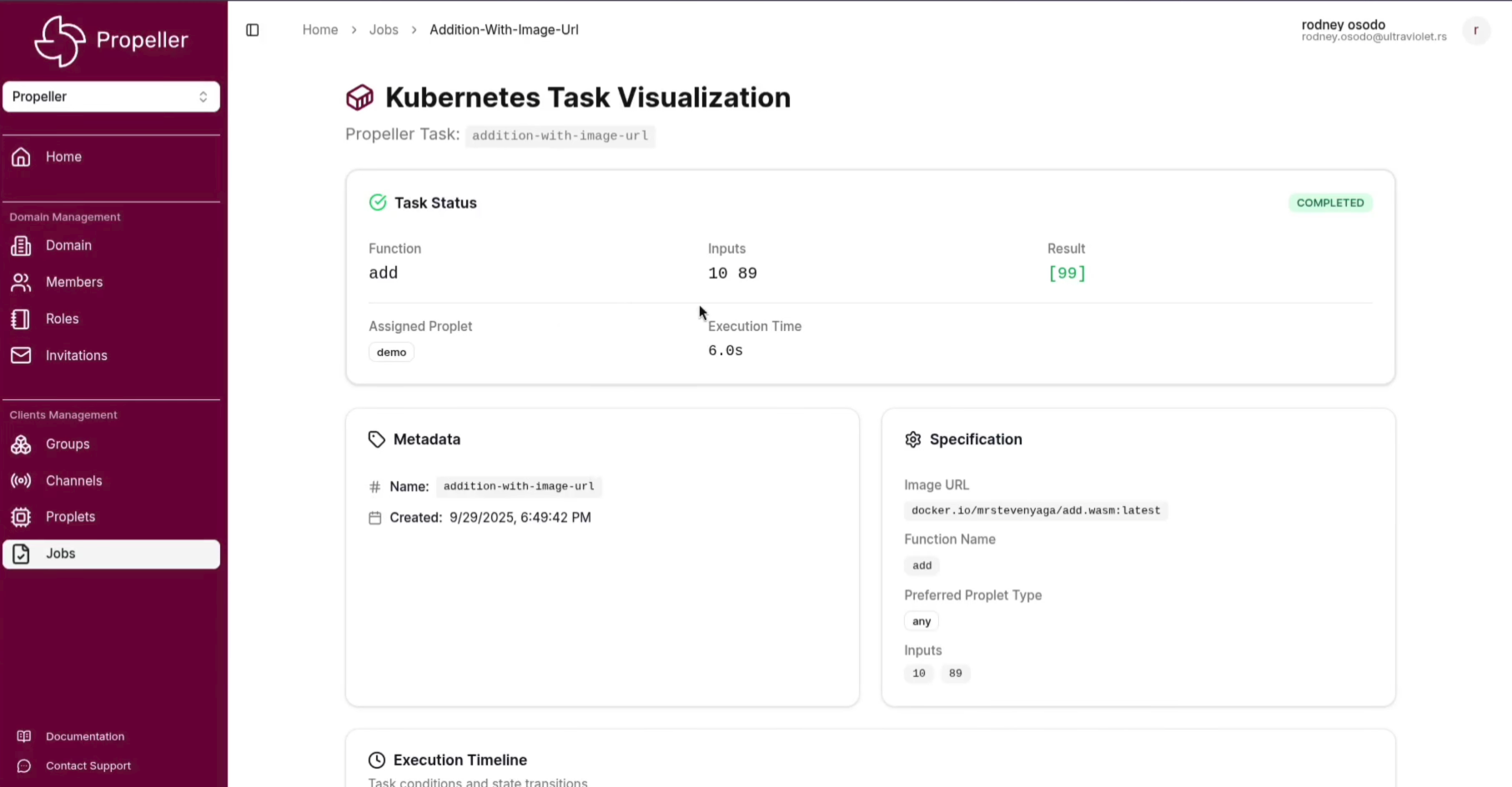
Deploy and manage WebAssembly jobs across your infrastructure with full Kubernetes manifest support and real-time status tracking.
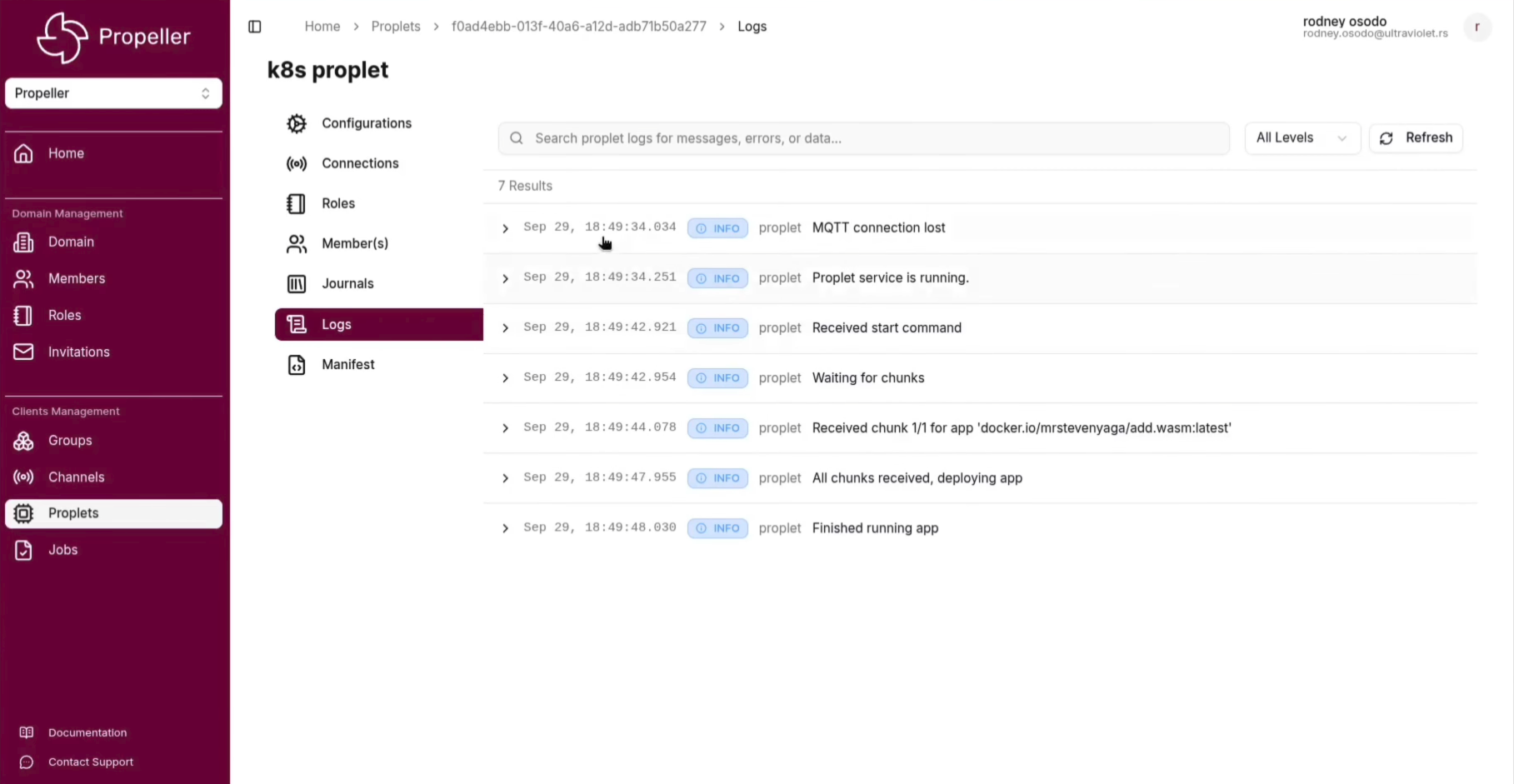
Stream logs from proplets in real time directly from the Kubernetes cluster, giving you full observability into running Wasm workloads.
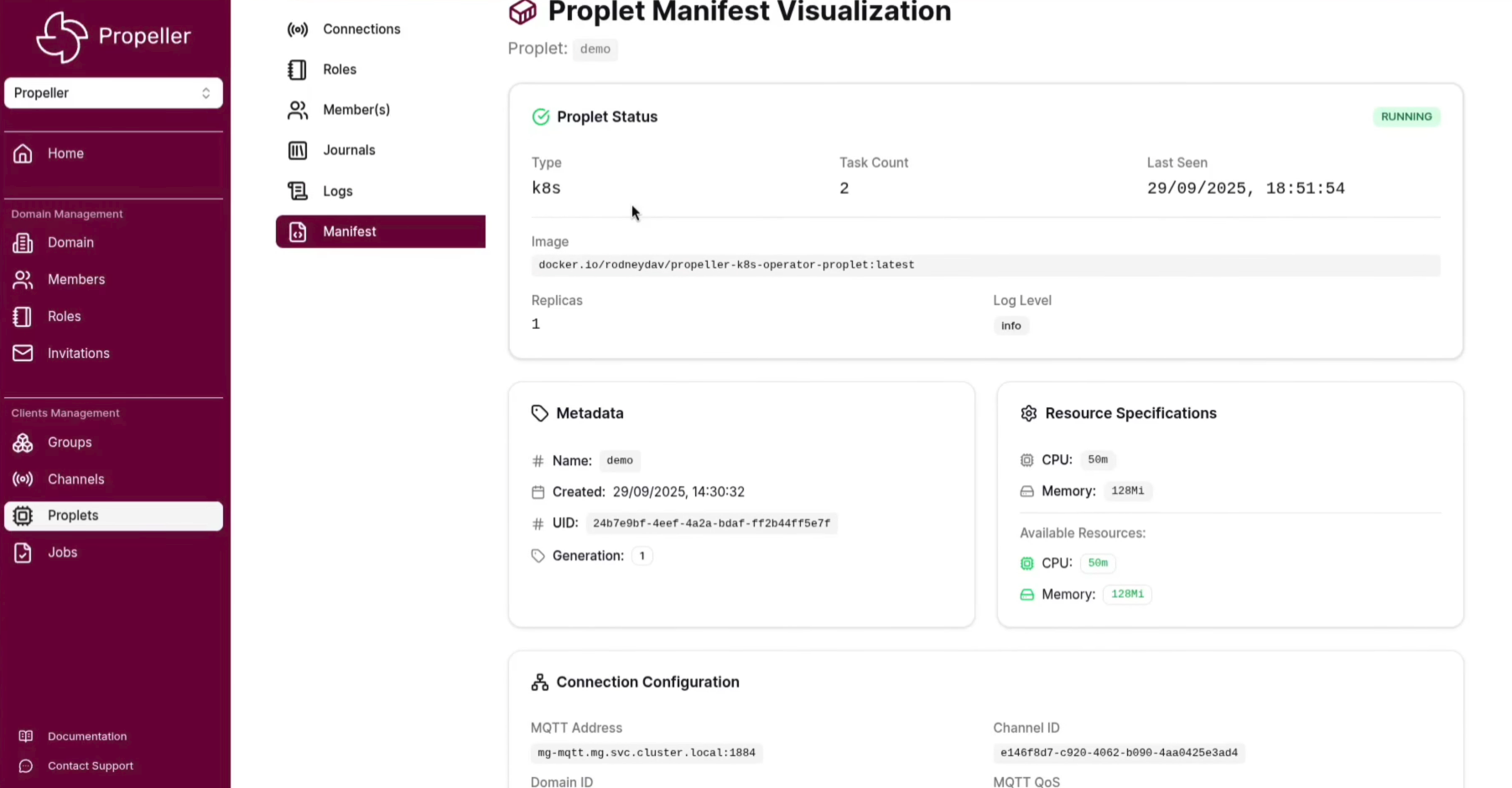
Inspect and manage proplet manifests across cloud and edge nodes, with detailed resource and configuration visibility.
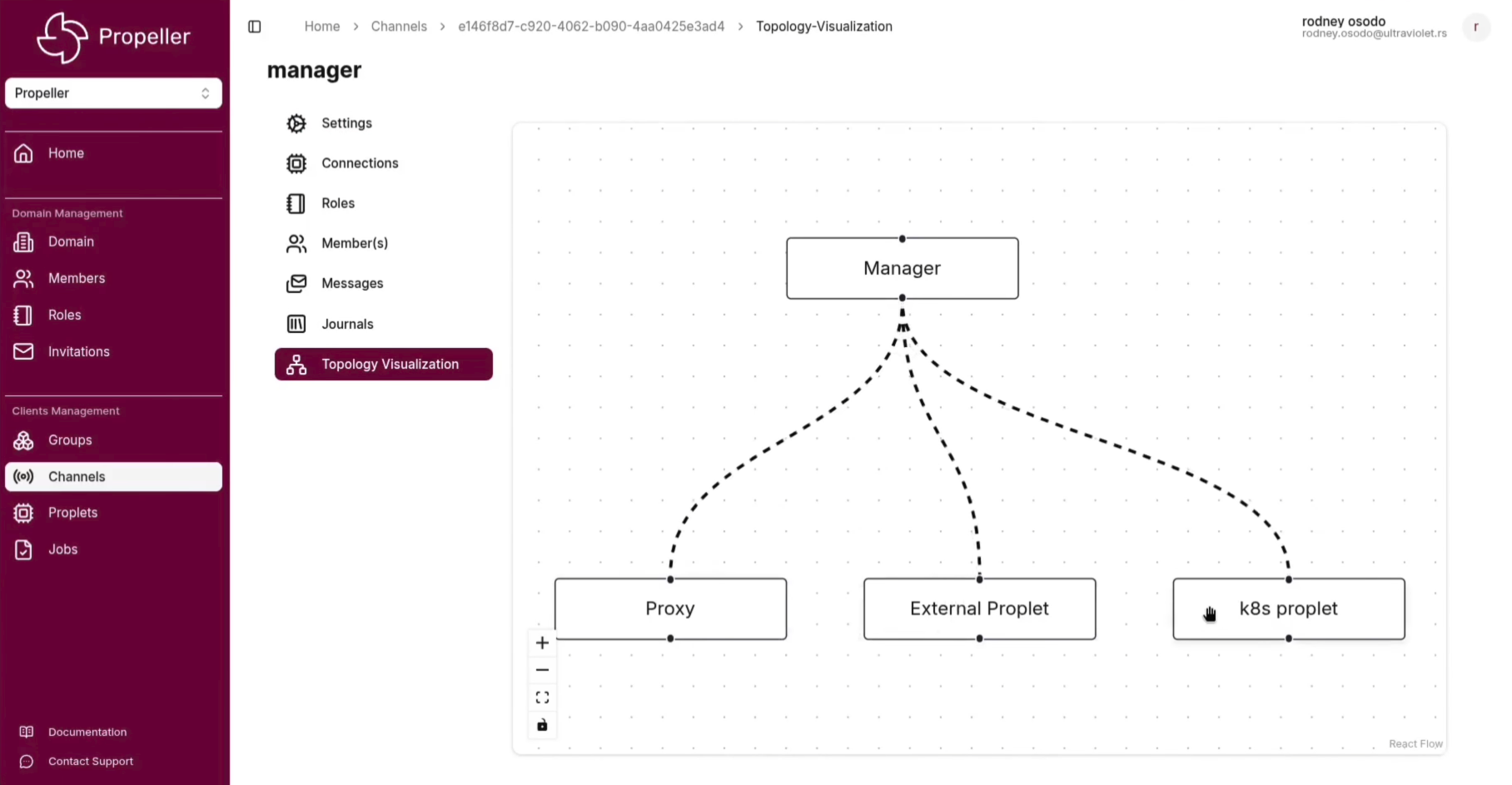
Visualise the live connection topology of your Propeller cluster, tracking how proplets and jobs are distributed across the cloud-edge continuum.
Where Propeller fits.
Edge Inference
Run AI and ML inference workloads directly on edge nodes without round-trips to the cloud.
IoT Automation
Deploy event-driven logic close to devices to reduce latency and cloud bandwidth costs.
Serverless at Edge
Invoke on-demand functions on remote nodes without managing long-running processes.
MCU Workloads
Deploy Wasm binaries directly to Zephyr RTOS microcontrollers for ultra-low-power edge computing.
Works with the tools you use.
Frequently asked questions.
What is Propeller?
Propeller is a cutting-edge orchestrator for WebAssembly (Wasm) workloads across the Cloud-Edge continuum. It enables seamless deployment of Wasm applications from powerful cloud servers to constrained microcontrollers, combining flexibility, security, and performance.
What are the key features of Propeller?
Propeller offers cloud-edge orchestration, fast boot times with near-instant startup, FaaS deployment capabilities, OCI registry support, WAMR on Zephyr RTOS for constrained devices, integration with Magistrala service mesh, and security-first design for IoT environments.
Which devices does Propeller support?
Propeller supports a wide range of devices from robust cloud servers to lightweight microcontrollers running Zephyr RTOS. It can deploy Wasm workloads across the entire cloud-edge continuum, making it ideal for diverse IoT and edge computing scenarios.
How does Propeller integrate with existing infrastructure?
Propeller integrates with OCI-compliant registries for workload storage and retrieval, and connects with Magistrala for secure IoT device communication. It supports standard protocols like MQTT, CoAP, and WebSocket for communication with edge devices.
What are common use cases for Propeller?
Common use cases include Industrial IoT (deploying analytics to factory edge devices), secure workload execution with isolated Wasm runtimes, smart cities with scalable IoT networks, and serverless applications leveraging FaaS capabilities across the cloud-edge continuum.
How do I get started with Propeller?
Getting started is easy: develop your application in WebAssembly, push your workloads to an OCI-compliant registry, use Propeller to orchestrate deployment across your infrastructure, and monitor and scale your workloads in real time. Check the documentation for detailed setup instructions.
Start orchestrating workloads.
Read the documentation, explore the source, or talk to the team about your deployment needs.